Complete Guide to robots.txt for SEO
What is robots.txt?
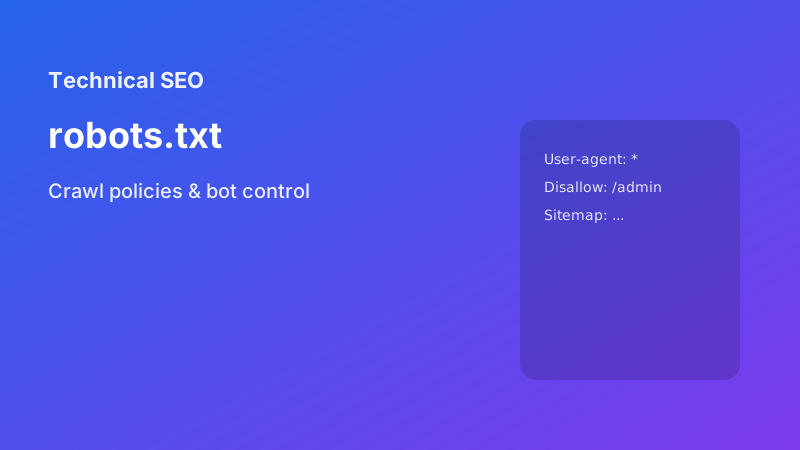
Robots.txt is a text file that tells search engine crawlers which pages or sections of your site they can or cannot access. It's one of the most important files for SEO and website management, serving as the first line of communication between your website and automated crawlers.
Why is robots.txt important?
Robots.txt helps you control crawler behavior in several crucial ways:
- Prevent duplicate content indexing: Block search engines from crawling multiple versions of the same content
- Protect sensitive areas: Keep private admin panels, user data, and internal tools out of search results
- Manage crawl budget: Direct crawlers away from low-value pages to focus on important content
- Control AI crawler access: Manage how AI systems like GPTBot or Claude access your content
- Improve site performance: Reduce server load by preventing unnecessary crawling
Basic robots.txt syntax
The robots.txt file uses a simple syntax with user-agent directives and allow/disallow rules:
User-agent: *
Disallow: /admin/
Disallow: /private/
Allow: /public/
Sitemap: https://example.com/sitemap.xml
Understanding User-Agents
The User-agent directive specifies which crawler the rules apply to:
User-agent: *- Applies to all crawlersUser-agent: Googlebot- Specific to GoogleUser-agent: Bingbot- Specific to Bing
Controlling AI crawlers
With the rise of AI content scraping, robots.txt has become crucial for content protection:
# Block GPTBot (OpenAI)
User-agent: GPTBot
Disallow: /

# Allow Claude but block specific paths
User-agent: Claude-Web
Allow: /
Disallow: /private/
Disallow: /admin/

# Block all AI crawlers
User-agent: AI2Bot
Disallow: /

User-agent: CCBot
Disallow: /
Common robots.txt mistakes to avoid
- Blocking CSS and JavaScript: Don't block resources needed for proper rendering
- Missing sitemap reference: Always include your sitemap URL
- Overly restrictive rules: Don't block important pages accidentally
- Typos in user-agent names: Double-check crawler names
- No wildcards for directories: Use proper path patterns
Testing your robots.txt
Before deploying, test your robots.txt file:
- Use Google's robots.txt testing tool in Search Console
- Test with Bing's robots.txt validator
- Use online robots.txt checkers
- Monitor crawler access logs after changes
Best practices for 2026
- Always include your XML sitemap URL
- Use specific user-agents for different crawler types
- Consider AI crawler access policies separately
- Test your robots.txt with crawler simulators
- Keep it simple and well-organized with comments
- Monitor and update regularly as your site grows
- Use crawl-delay directives if needed for server protection
Advanced robots.txt techniques
Crawl-delay directive
User-agent: *
Crawl-delay: 1
Allow directive for exceptions
User-agent: *
Disallow: /private/
Allow: /private/public-announcements/
Conclusion
A well-crafted robots.txt file is essential for modern SEO. It protects your content, manages crawler resources, and ensures your site is indexed properly. Regular monitoring and updates will help maintain optimal search engine relationships.
Useful tools
Need help applying this? Try our Sitemap Generator, llms.txt Generator, and robots.txt Generator.